On behalf of the Nominating Committee, I’m pleased to share the slate of candidates for the 2026 board election. Every active member organisation is invited to submit a ballot to elect the incoming board class.
We’re providing a summary of the board’s July 2026 meeting. The July board meeting is our only in-person meeting. The board gathers for two days of strategic thinking and long-range planning, as well as conducting annual board business. This year, we focused on allocating surplus funds we have on hand to invest in a three-year project to redesign the content system. In a related discussion, we decided to lower content registration fees starting in 2027 because we’ve had a demonstrated history of generating surpluses, exceeding what we need to run Crossref. We also discussed the board structure, as part of our regular review of stakeholder governance. And we conducted annual board business, such as approving the audited financial statements and reviewed our risk register and mitigation plans.
The resolutions are available on the dedicated section of our website, which also lists the members of the Board and offers further information about our governance.
We also managed to squeeze in watching a World Cup game over dinner.
Starting today, funder names deposited in Crossref metadata without an identifier will be matched to ROR IDs, to support an open and connected Research Nexus. Funding information is an increasingly important part of the scholarly record. The improved matching strategy supports researchers, funders, institutions, and meta-researchers, who rely on that information to understand how research is supported and what outcomes that support produces.
Strengthening Scholarly Publishing in Africa is a collaborative webinar series bringing together ASSAf, Crossref, DOAJ, EIFL, and PKP to share practical guidance, resources, and approaches for strengthening the publishing ecosystem in the region. This series responds to the growing interest in open access, digital publishing, stronger editorial practices, and greater visibility of research publishing across Africa. Each partner organisation has long experience of building that capacity in the area of their expertise. In this series, we’re coming together to offer a more holistic learning experience to the community of African publishers, putting different aspects of the publishing process in their broader context.
Not sure if you’re using iThenticate v1 or iThenticate 2.0? More here.
Not sure whether you’re an account administrator? Find out here.
Private Repository - ScholarOne only
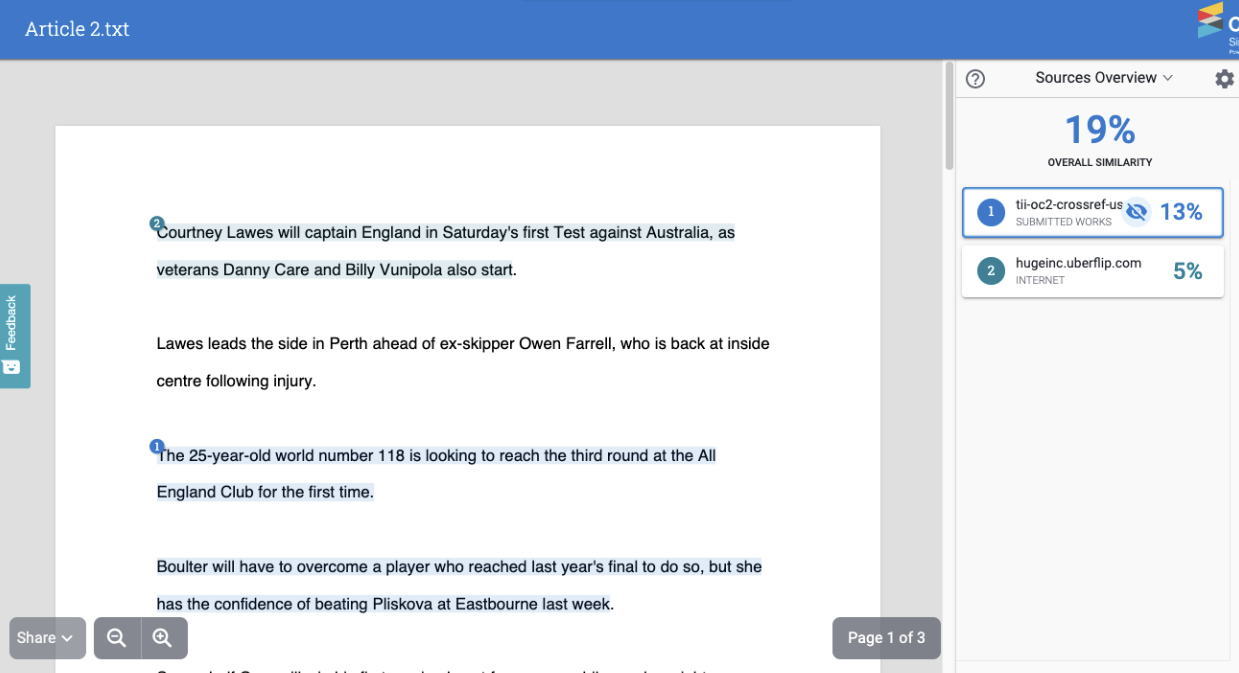
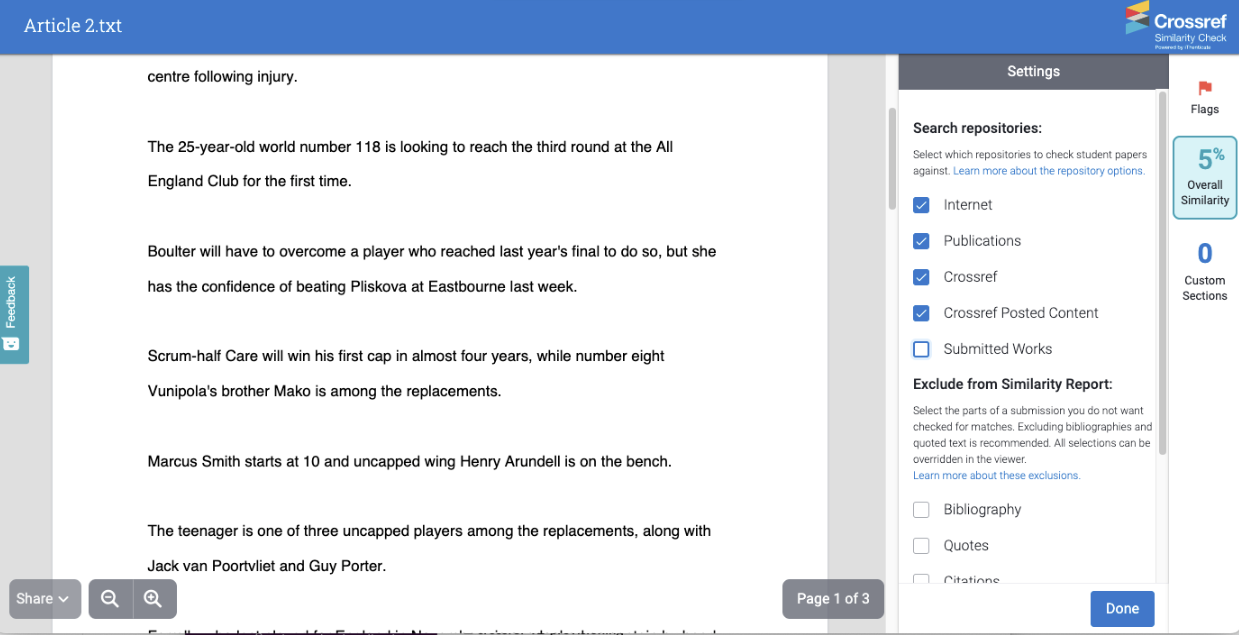
The Submitted Works repository (or Private Repository) is a new feature in iThenticate 2.0. The only MTS that currently integrates with this feature is ScholarOne. This feature allows users to find similarity not just across Turnitin’s extensive Content Database but also across all previous manuscripts submitted to your iThenticate account for all the journals you work on. This would allow you to find collusion between authors or potential cases of duplicate submissions.
How does this work?
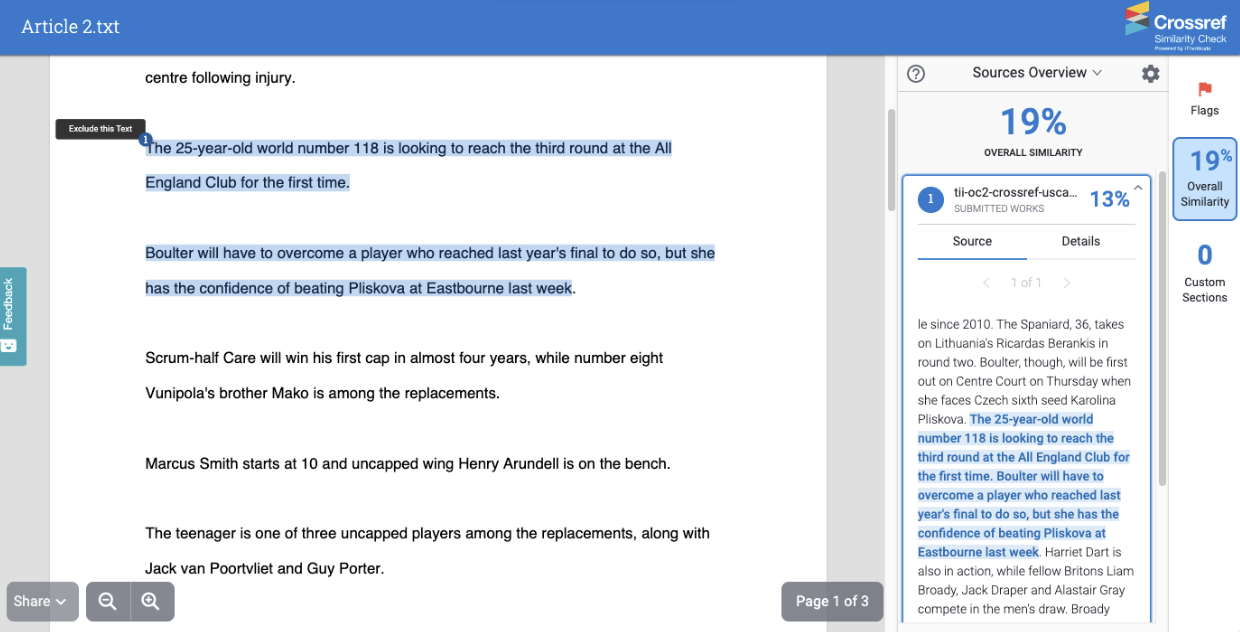
You have received a manuscript from Author 1 and have decided to index this manuscript into your Submitted Works repository. At some point later you receive a new manuscript from Author 2. When generating your Similarity Report, you have decided to check against your Submitted Works repository. There is a paragraph in the manuscript from Author 2 which matches a paragraph in the manuscript from Author 1. This would be highlighted within your Similarity Report as a match against your Submitted Works repository.
By clicking on this match you can see the full text of the submission you’ve matched against:
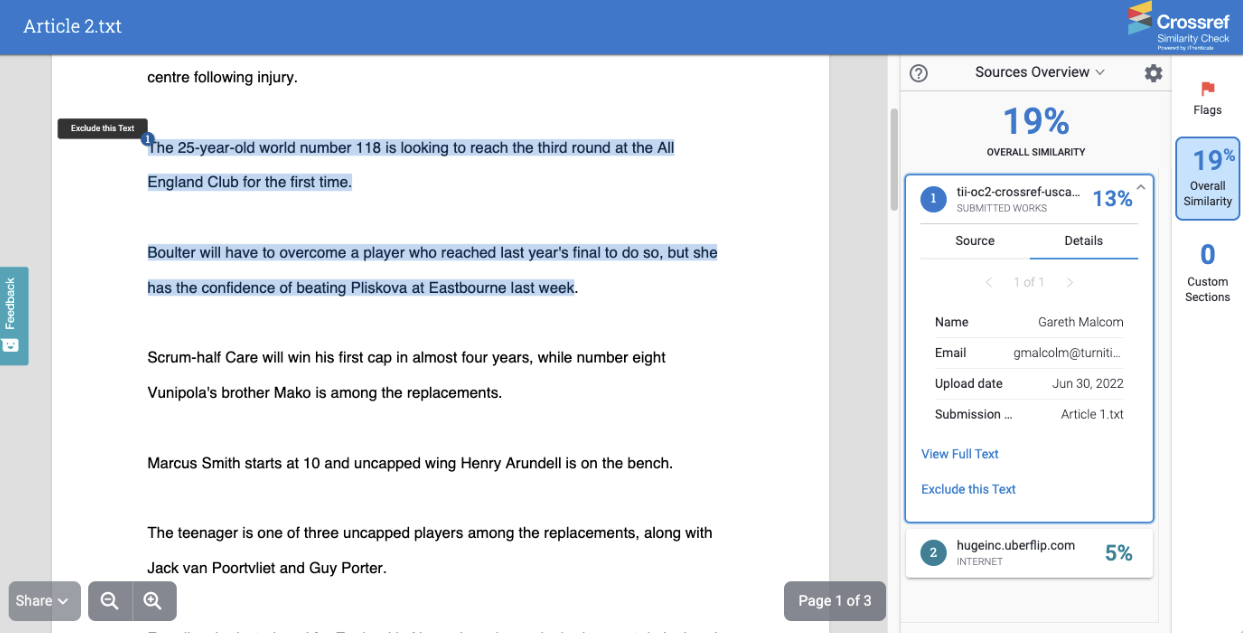
And details about the submission, such as the name and email address of the user who submitted it, the date it was submitted and the title of the submission:
The ability to see the full source text and the details can both be switched off individually.
Setting up the Submitted Works repository
If you are using a third party integration then you should have options inside your MTS when setting up your configuration with iThenticate to decide whether submissions will be indexed to the Submitted Works repository and whether generated Similarity Reports will match against the Submitted Works.
Important: This feature means that sensitive data could be shared between different journals using your iThenticate account
The Submitted Works repository is shared across your entire iThenticate account. This means regardless of whether a submission was made natively from the iThenticate website or through an integration, all Similarity Reports which match against the Submitted Works repository will potentially match against any submissions which were indexed within it. This means that an editor working on one journal may be able to view submissions for another journal. If you are worried about giving your users access to sensitive data, we recommend switching this functionality off.
Submitted Works repository FAQs
Q. How much does this feature cost to use?
This feature comes free with every iThenticate 2.0 account.
Q. How many submissions can I index to my private repository?
There is no limit to the number of submissions you can index.
Q. Can I delete submissions from my private repository?
Yes. An Administrator can find and delete a submission using the Paper Lookup Tool. Go to Turnitin’s help documentation for more information.
Page maintainer: Kathleen Luschek Last updated: 2022-July-15