On behalf of the Nominating Committee, I’m pleased to share the slate of candidates for the 2026 board election. Every active member organisation is invited to submit a ballot to elect the incoming board class.
We’re providing a summary of the board’s July 2026 meeting. The July board meeting is our only in-person meeting. The board gathers for two days of strategic thinking and long-range planning, as well as conducting annual board business. This year, we focused on allocating surplus funds we have on hand to invest in a three-year project to redesign the content system. In a related discussion, we decided to lower content registration fees starting in 2027 because we’ve had a demonstrated history of generating surpluses, exceeding what we need to run Crossref. We also discussed the board structure, as part of our regular review of stakeholder governance. And we conducted annual board business, such as approving the audited financial statements and reviewed our risk register and mitigation plans.
The resolutions are available on the dedicated section of our website, which also lists the members of the Board and offers further information about our governance.
We also managed to squeeze in watching a World Cup game over dinner.
Starting today, funder names deposited in Crossref metadata without an identifier will be matched to ROR IDs, to support an open and connected Research Nexus. Funding information is an increasingly important part of the scholarly record. The improved matching strategy supports researchers, funders, institutions, and meta-researchers, who rely on that information to understand how research is supported and what outcomes that support produces.
Strengthening Scholarly Publishing in Africa is a collaborative webinar series bringing together ASSAf, Crossref, DOAJ, EIFL, and PKP to share practical guidance, resources, and approaches for strengthening the publishing ecosystem in the region. This series responds to the growing interest in open access, digital publishing, stronger editorial practices, and greater visibility of research publishing across Africa. Each partner organisation has long experience of building that capacity in the area of their expertise. In this series, we’re coming together to offer a more holistic learning experience to the community of African publishers, putting different aspects of the publishing process in their broader context.
This section is for Similarity Check account administrators using iThenticate 2.0 through the browser, and describes how you can manage exclusions within your account settings..
Not sure if you’re using iThenticate v1 or iThenticate 2.0? More here.
Not sure whether you’re an account administrator? Find out here.
Exclusions
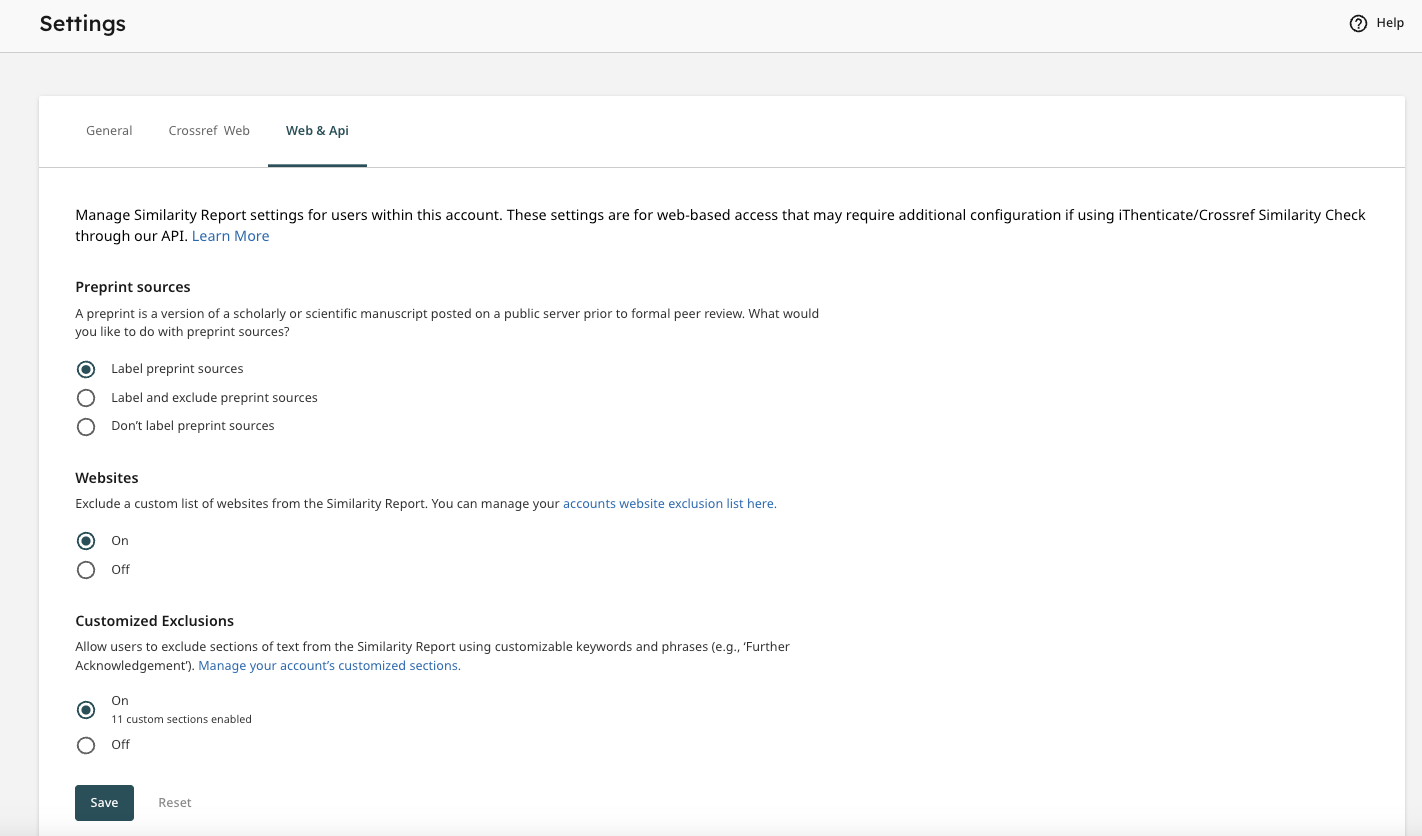
If you want to exclude items from your Similarity Report results, you can do this by clicking on Settings in the left hand menu in iThenticate 2.0 homepage. There are two tabs where you can change different items - one is labelled Crossref Web, and the other is labelled Web and API. Here are the various items you can exclude.
Preprint Label and Exclusions
iThenticate 2.0 introduces a new feature which will automatically identify preprint sources within your Similarity Report. This will allow you to easily identify preprints so your editors can make a quick decision as to whether to investigate this source further or exclude it from the report.
In order to start using this feature you will need to configure it within the iThenticate settings by logging directly into your iThenticate account. You can find instructions on how to configure this feature in Turnitin’s help documentation.
You also have the option to automatically exclude all preprint sources from reports. All excluded preprints will still be available within the Similarity Exclusions panel of your Similarity Report and can be reincluded in the report.
Further details of how preprints appear within the Similarity Report can be found in Turnitin’s help documentation .
The Website Exclusions setting will allow you to automatically exclude all matches to specific websites. Instructions on how to turn on and configure this feature can be found in Turnitin’s help documentation.
This feature will only exclude matches in the Internet repository. If a journal website is added to the list of excluded websites then all pages which have been crawled and indexed into Turnitin’s Internet repository will be excluded. However, journal articles from that journal which appear in the Crossref repository will not be excluded.
This feature will apply to all submissions made to the iThenticate account; including all web submissions and submissions made through any integration.
All excluded matches will still be available within the Similarity Exclusions panel of your Similarity Report and can be reincluded in the report. Further details of how these exclusions will appear can be found in Turnitin’s help documentation.
Customized Exclusions
A new feature in iThenticate 2.0 is Customized Exclusions. The Customized Exclusions setting allows administrators to create sections of text that can be excluded from the Similarity Report. Administrators can tailor these keywords and phrases to best meet the needs of their organisation (for example, ‘Further Acknowledgments’).