Crossref members register around 37,000 records daily. All this metadata is openly shared with the global scholarly community through our free APIs. We receive over two billion calls to our API each month, signalling its use by hundreds of tools and services worldwide, supporting the discovery and assessment of scholarly metadata. As part of a new series in our blog, we will spotlight the diversity of tools and integrations that rely on Crossref metadata to serve the scholarly community. In this initial post, we chat to Luca Foppiano, the developer and maintainer of Grobid1, to learn about how Grobid uses Crossref metadata to improve the extraction and enrichment of bibliographic information from scholarly PDFs.
On behalf of the Nominating Committee, I’m pleased to share the slate of candidates for the 2026 board election. Every active member organisation is invited to submit a ballot to elect the incoming board class.
We’re providing a summary of the board’s July 2026 meeting. The July board meeting is our only in-person meeting. The board gathers for two days of strategic thinking and long-range planning, as well as conducting annual board business. This year, we focused on allocating surplus funds we have on hand to invest in a three-year project to redesign the content system. In a related discussion, we decided to lower content registration fees starting in 2027 because we’ve had a demonstrated history of generating surpluses, exceeding what we need to run Crossref. We also discussed the board structure, as part of our regular review of stakeholder governance. And we conducted annual board business, such as approving the audited financial statements and reviewed our risk register and mitigation plans.
The resolutions are available on the dedicated section of our website, which also lists the members of the Board and offers further information about our governance.
We also managed to squeeze in watching a World Cup game over dinner.
Starting today, funder names deposited in Crossref metadata without an identifier will be matched to ROR IDs, to support an open and connected Research Nexus. Funding information is an increasingly important part of the scholarly record. The improved matching strategy supports researchers, funders, institutions, and meta-researchers, who rely on that information to understand how research is supported and what outcomes that support produces.
The quickest way to test whether your DOI and its associated metadata have been registered successfully (and your DOI is now active) is to enter your DOI link (DOI displayed as a link, such as https://doi.org/10.13003/5jchdy) into a browser window, and check if it resolves correctly. DOI 10.13003/5jchdy has been registered so it is resolving to that DOI’s landing page (or, resolution URL). DOIs that have not been registered will resolve to a DOI NOT FOUND error message on doi.org, such as https://doi.org/10.13003/unregisteredDOI.
If your DOI doesn’t resolve successfully, read on for more information about the process your submission goes through, why there might be a delay, and which messages you’ll receive depending on your submission method.
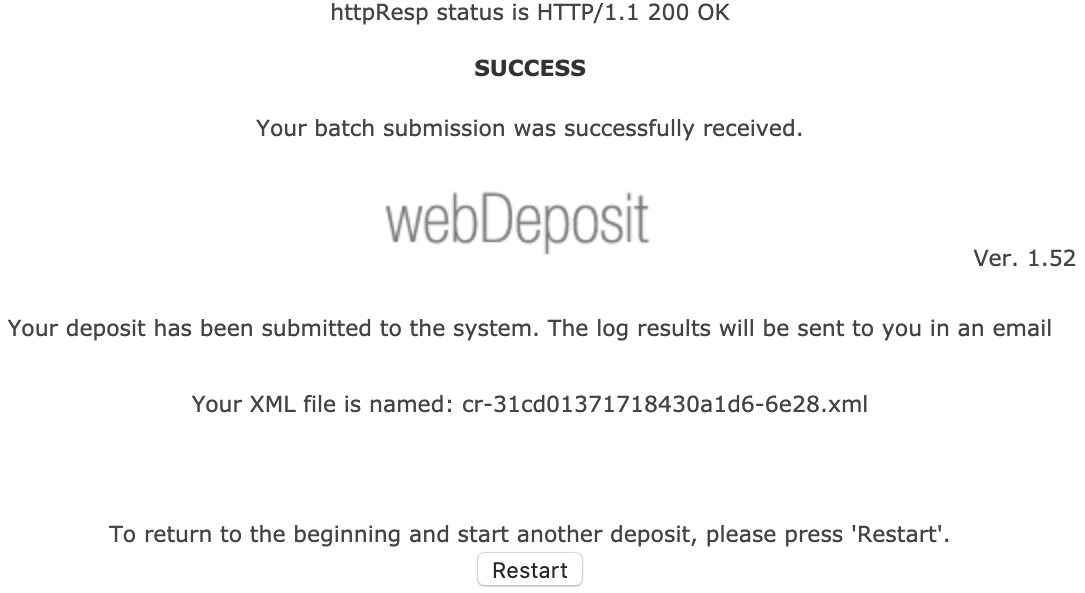
If you register your content using the web deposit form, your submission is sent to a submission queue. You’ll see a “success” message in the web deposit form confirming that your submission has been successfully sent to our submission queue, but this doesn’t mean that your registration is complete.
As your submission is processed in the queue, we send you two messages:
XML record email, subject line: Crossref WebDeposit - XML. This email includes the XML created by the web deposit form. Do keep this information, as it may be useful in the future. Receiving this email is a confirmation that your file has been received for processing, and entered into our submission queue.
submission log email, subject line: Crossref Submission ID. This email is sent once your XML has made it through the queue, includes your submission ID, tells you if your deposit has been successful, and provides the reason for any failure.
If your submission log email tells you that your submission was successful, your DOI is now live and active (or your update to metadata for an existing DOI has worked).
If your submission failed, please address the errors flagged in the confirmation, and resubmit. Learn more about error messages.
If you don’t receive your submission log email immediately, it’s probably because your submission is still in the queue. It can stay in the queue between several minutes and several hours depending on how large your submission file is, and how busy our submission queue is at that time. Learn more about how to view the submission queue.
If you don’t receive your submission log email and you can’t see your submission in the queue, it may be that your access to register content has been suspended due to unpaid invoices. If this is the case, please contact us.
Verify your registration - new Metadata Manager
The new Metadata Manager tool (previously known as the record registration form) registers your record in real time, with no queueing or delay. If your submission has been successful, you’ll see a “success” message, which means your DOI is now live and active or your update to an existing record has worked.
Your “success” message will also contain a submission ID. If you need to, you can log into our admin tool using your account credentials and use this submission to view your deposit.
If your submission hasn’t been successful, you’ll see an error message explaining the problem.
Verify your registration - direct deposit of XML using our admin tool
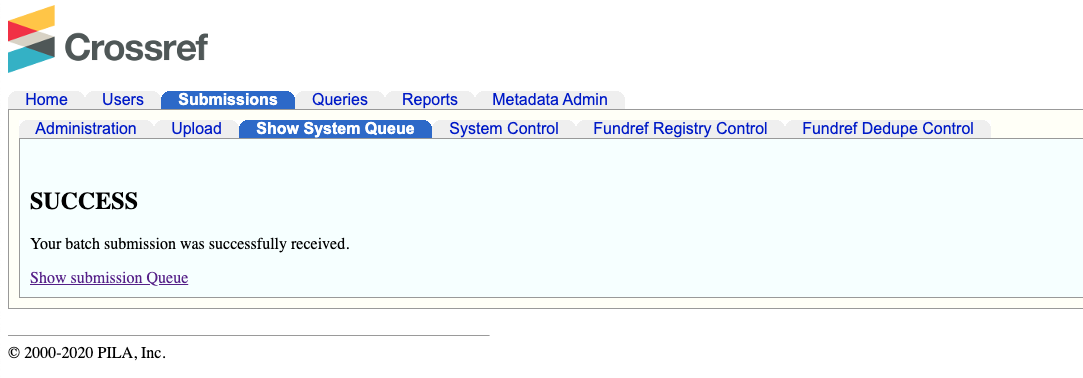
Submissions using our admin tool are sent to a submission queue. Once your submission has been accepted into the queue we display a SUCCESS - Your batch submission was successfully received message. This means that your deposit has been submitted to our processing queue, but it has not yet been processed.
Registration of your content only occurs after your submission has worked its way through the queue, when you will receive an email with the subject line Crossref Submission ID, which includes your submission ID, tells you if your deposit has been successful, and provides the reason for any failure.
If your deposit has been successful, then your new DOI is live and active (or your update to metadata for an existing DOI has worked).
If your submission failed, please address the errors flagged in the email, and resubmit. Not sure what the error messages mean and what you need to do? Learn more about error messages.
If you don’t receive your submission log email immediately, it’s probably because your submission is still in the queue. It can stay in the queue between several minutes and several hours depending on how large your submission file is, and how busy our submission queue is at that time. Learn more about how to view the submission queue.
If you don’t receive your submission log email and you can’t see your submission in the queue, it may be that your access to register content has been suspended due to unpaid invoices. If this is the case, please contact us.
Verify your registration - XML deposit using HTTPS POST
Most items registered with us are submitted via HTTPS POST. When files are POSTed to our system, you’ll receive a 200 status message to confirm that we’ve received it. Your files are then added to a submission queue to await processing, and once your submission has been processed, you’ll receive a submission log (either by email or through the notification callback service if you have that enabled).
If your submission log shows a success, then your DOI is live and active (or your update to metadata for an existing DOI has worked).
If your submission log shows a failure, please address the errors flagged in the email, and resubmit. Not sure what the error messages mean and what you need to do? Learn more about error messages.
There may be a delay between your submission being received by the queue and completing processing. It can stay in the queue between several minutes and several hours depending on how large your submission file is, and how busy our submission queue is at that time. Learn more about how to view the submission queue.
Verify your registration - Crossref XML plugin for OJS
If you are using the Crossref XML plugin for OJS to send your submission to us directly, check the status of your deposit by clicking the Articles tab at the top of the plugin settings page.
Page maintainer: Isaac Farley Last updated: 2025-December-10